

Your home, from anywhere
Arm, watch your cameras, control lights and heating, get alerts with video, share access. Free for iOS and Android.


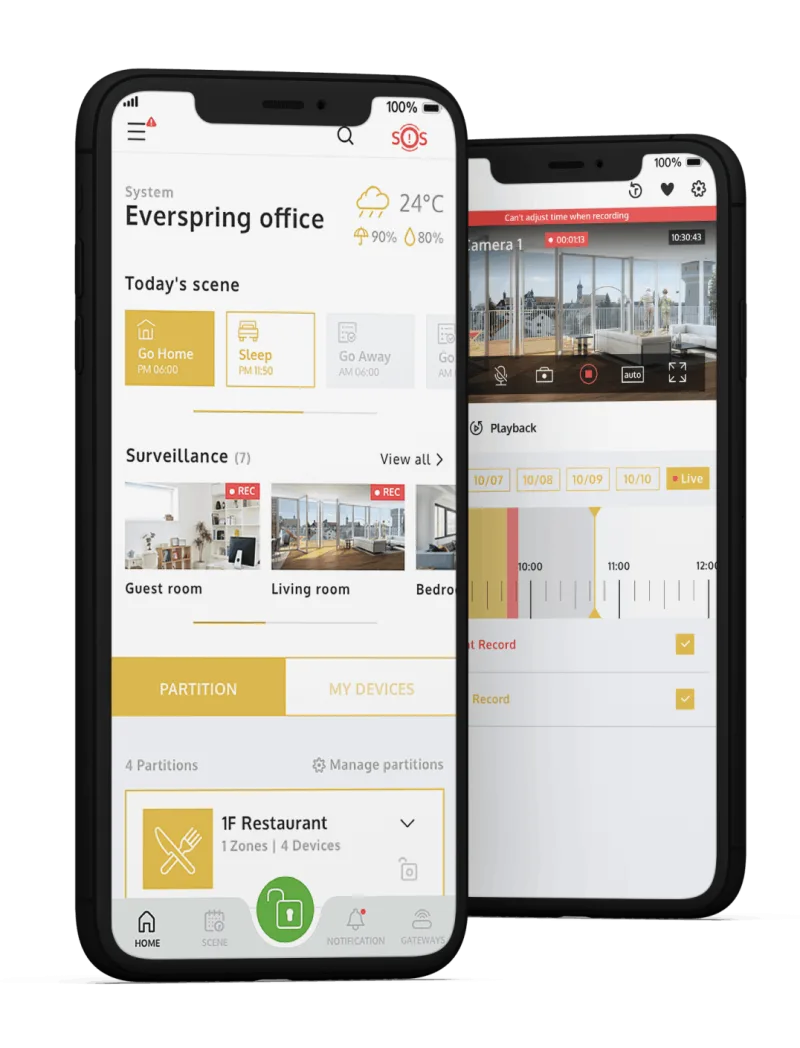
From the box to the first arming
Installation is usually done by your installer. These are the steps you will see in the app.
Download the app and create an account
From Google Play or the App Store. Your account gives access to one or more panels.
Add the control panel
Tap +gateway and choose “I’m a user”. If your installer added it, they will hand ownership over to you by adding you as a user.
Arm the way that suits you
Full or partial arming from the app, the keypad (code or NFC card) or the keyfob.
Share access
Create partitions and users with rights: which partitions they see, at what times, or block them when needed. Users without the app enter with a keypad code.
Add cameras
Dashboard → Surveillance → View all → “+”. ONVIF cameras on the same network are found automatically.
Create scenes
Rules by time, sensor or temperature that control lights, shutters, air conditioning and plugs. Try the automations


What you can do
Total security
Camera video, alerts and access list, all from your phone.
Customisable
Buildings, partitions and zones with different properties. Favourites in their own section.
Energy consumption
Consumption graph: how much and when. Spot devices that use too much.
Have a question? FAQ